Your AI-built app works. But is it secure?
AI coding tools ship working software in hours. They also ship a predictable set of security holes — secrets in the client bundle, row-level security left off, missing ownership checks, no rate limits. This manual names all twelve, shows the fix for each, and gives you the prompts to find them in your own codebase.
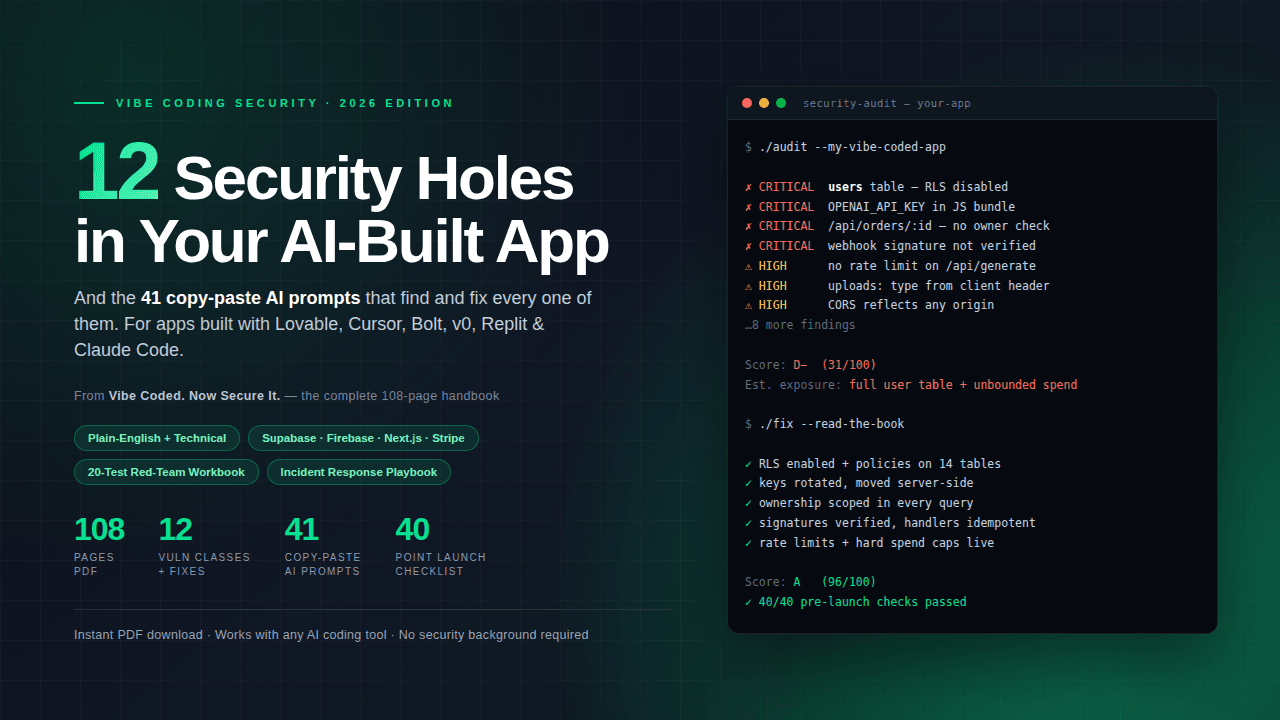
Vibe Coding Security: 12 Security Holes + 41 AI Prompts
A 108-page technical manual for finding and fixing the security holes AI coding tools leave in your app.
Secure checkout on Gumroad. Instant download.
- 108-page PDF
- 12 vulnerability classes + fixes
- 41 copy-paste AI prompts
- 40-point launch checklist
- 20-test red-team workbook
- Incident response playbook
Instant download · Refund policy
Why AI-built apps get broken into
AI coding assistants optimise for code that runs. Security controls are invisible when absent — the app works identically with row-level security off, so nothing in your testing surfaces the gap.
The result is a consistent pattern. The same twelve classes of vulnerability appear across apps built with Lovable, Cursor, Bolt, v0, Replit and Claude Code, largely independent of which tool wrote the code.
None of this requires a targeted attacker. Automated scanners find exposed endpoints and leaked keys continuously, and an unmetered API endpoint can generate a substantial bill before anyone notices.
What's inside
108 pages, organised so you can act before you finish reading.
Part 1 — Why AI-built apps get broken into
- Who actually attacks a small app
- "Nobody knows my app exists"
- The four reasons AI writes insecure code
- The client/server line
Part 2 — The 12 vulnerability classes
- V1 — Exposed secrets & API keys
- V2 — Missing row-level security
- V3 — Broken authorization & IDOR
- V4 — Broken authentication & fake-able sessions
- V5 — SQL & NoSQL injection
- V6 — Cross-site scripting (XSS)
- V7 — Insecure file uploads
- V8 — SSRF, open redirects & webhook forgery
- V9 — No rate limiting — abuse & denial-of-wallet
- V10 — Prompt injection & AI-specific attacks
- V11 — CORS, CSRF & missing security headers
- V12 — Dependency & supply-chain risk
Part 3 — Platform-specific hardening
- Supabase
- Firebase
- Next.js — the server/client boundary
- Vercel, Netlify & deploy hygiene
- Stripe & payments
- Auth providers
- Lovable, Bolt, v0, Replit & friends
Part 4 — Operating it without losing sleep
- The 40-point pre-launch checklist
- The 20-test red-team workbook
- Incident response playbook
Built to be used, not read
Start with a 7-minute triage
The first section is a short triage that surfaces the highest-severity issues before you read anything else.
Prompts, not theory
41 prompts written to be pasted straight into the AI tool you already use, each targeting a specific vulnerability class in your own code.
Plain-English and technical
Each vulnerability is explained once in plain English and once at implementation level, so it is usable whether or not you have a security background.
Ship-day checklist
A 40-point pre-launch checklist and a 20-test red-team workbook to run before you put an app in front of real users.
Who this is for
- Developers shipping apps built largely with AI coding tools
- Indie hackers and solo founders without a security reviewer
- Technical founders who need to harden an app before launch
- Engineers new to Supabase or Firebase security rules
Who it isn't for
- Security professionals looking for original vulnerability research
- Teams that need a formal penetration test or compliance audit
- Anyone wanting an automated scanner rather than a manual to work through
Frequently asked
Do I need a security background?
No. Every vulnerability class is explained in plain English before the technical detail, and the prompts are written to be used without prior security knowledge.
Which AI tools does this cover?
The vulnerability classes apply to AI-generated code generally. There is platform-specific guidance for Lovable, Cursor, Bolt, v0, Replit and Claude Code, plus Supabase, Firebase, Next.js, Vercel and Stripe.
Is this a penetration test?
No. It is a manual you work through yourself, plus prompts and checklists. It does not replace a professional penetration test or a security audit, and it should not be presented as one.
What format is it?
A 108-page PDF, delivered as an immediate download after purchase.
Will it be updated?
The guide is versioned. Buyers of the current edition can re-download the file they purchased from their account at any time while their download link is valid.
Can I get a refund?
See the refund policy for the current terms. Digital goods have specific rules that are set out there in full.
Other books in the catalogue
Same approach: finished, specific, and yours to keep.

Master AI Prompts Vol. 02 — LinkedIn Growth & Brand
30 long-form AI prompts that write posts, rebuild your profile and fill your DMs with real conversations.

Master AI Prompts Vol. 01 — Etsy SEO & Listings
30 long-form AI prompts that write Etsy titles, descriptions and tags in one paste, without the follow-up wrestling.

Millionaire Mindset
The 60 mental shifts behind how wealth actually gets built — and the drills that install them.